
I Built a Self-Hosted URL Shortener with Claude as My Copilot
Part 1 of 2 — Building with AI Series
I've been running my own home server setup for a while now — NAS, Docker containers, self-hosted services, the whole deal. I genuinely enjoy tinkering. But I'll be honest: a lot of projects I've wanted to tackle have sat on a mental backlog for months because the setup felt just complex enough to be intimidating. Not impossible — just enough friction to keep pushing it off.
This weekend I finally crossed one of those projects off the list: a self-hosted URL shortener running on my own domain. And the reason I finally got it done — in a single afternoon — was because I had my buddy Claude running alongside me the entire time, not just as a search engine, but as an actual collaborator.
Here's how it went.
What I Wanted to Build
The goal was simple: I wanted my own short link service running on a custom domain. Not bit.ly, not a third-party service I don't control — something that lives on my own infrastructure, with my own data, that I could extend however I wanted. Bonus points if I could eventually talk to it conversationally through Claude.
The tool I chose is called YOURLS — Your Own URL Shortener. It's open source, well-maintained, and has a solid plugin ecosystem. The plan was to run it in Docker on my home server, expose it publicly through a Cloudflare Tunnel, and eventually wire it up to Claude via an MCP server so I could manage links through natural language.
Straightforward on paper. In practice, things got interesting.
Claude as a Copilot, Not Just a Search Engine
I want to be specific about what made this experience different, because I think there's a meaningful distinction between using AI as a smarter Google and using it as an actual project partner.
When I started, I told Claude what I was trying to build and we planned it together — Docker Compose structure, Cloudflare Tunnel setup, plugin selection, MCP integration. Claude drafted the initial configuration files. But the real value showed up when things broke, which they did, repeatedly.
The Problems We Hit (And How We Solved Them)
Problem 1: The Container Wouldn't Respond
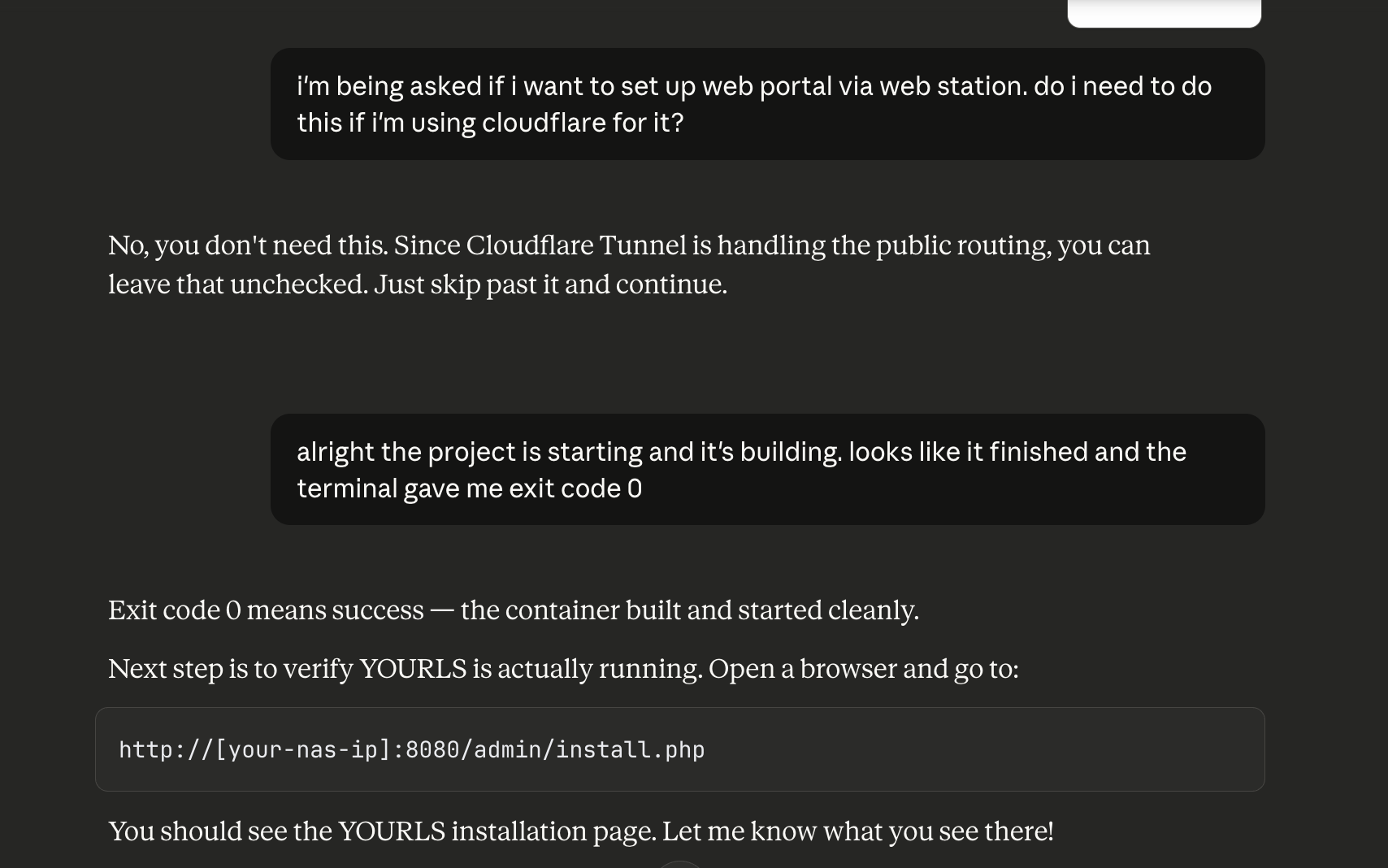
The Docker container started up with exit code 0 — technically successful — but I couldn't reach it in a browser. The logs looked healthy. Claude walked me through a systematic diagnosis: check the port binding with netstat, inspect the container's internal IP, try curling directly to the container. When we ran apache2ctl -S inside the container, we found the issue immediately: Apache was listening on port 8080 internally, but our Docker Compose file was mapping external 8080 to internal port 80. A one-line fix.
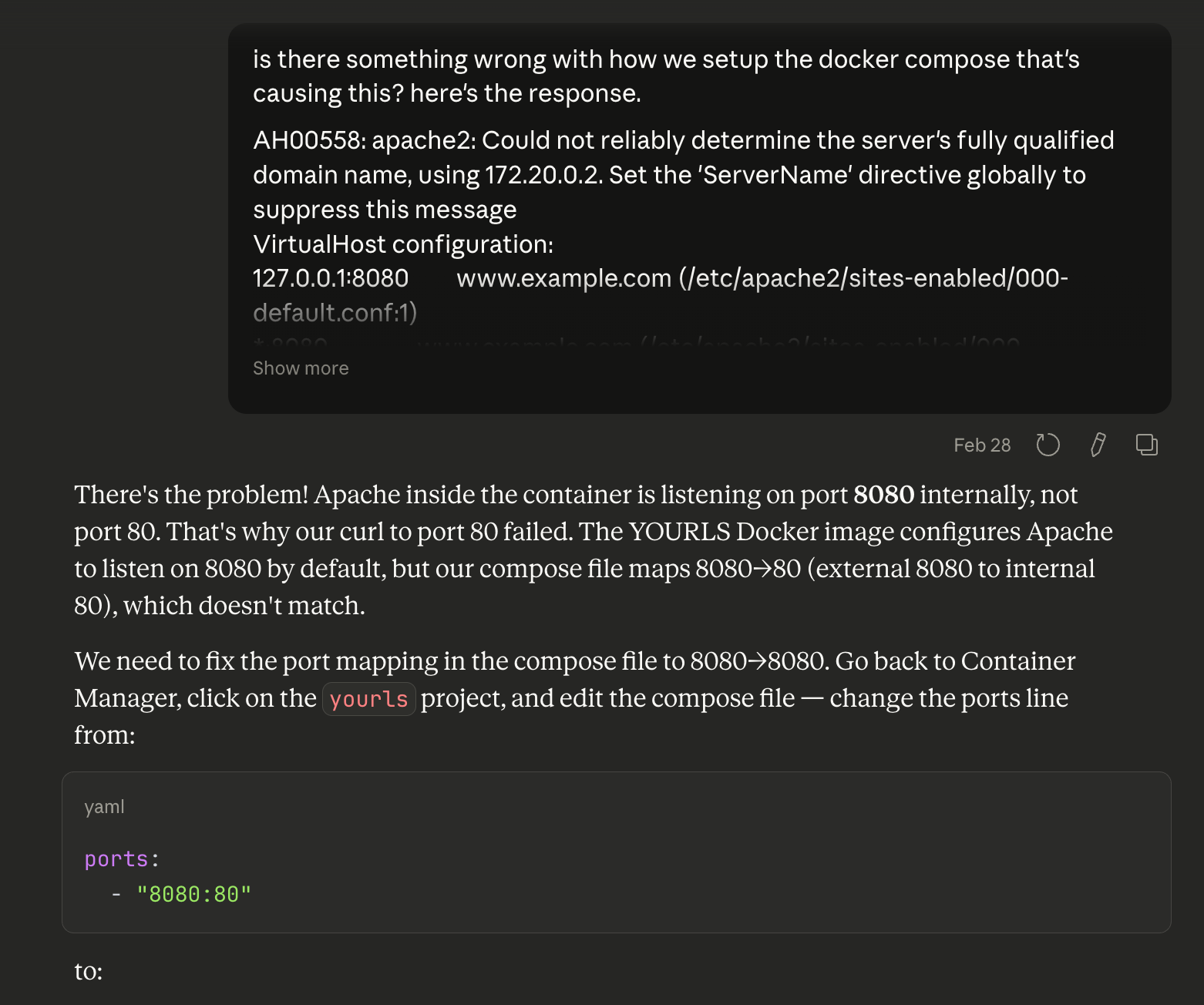
What I appreciated here wasn't that Claude knew the answer — it's that Claude knew how to find the answer. The diagnostic process was methodical, and I learned something about how Docker networking and Apache configuration interact.
Problem 2: No Database
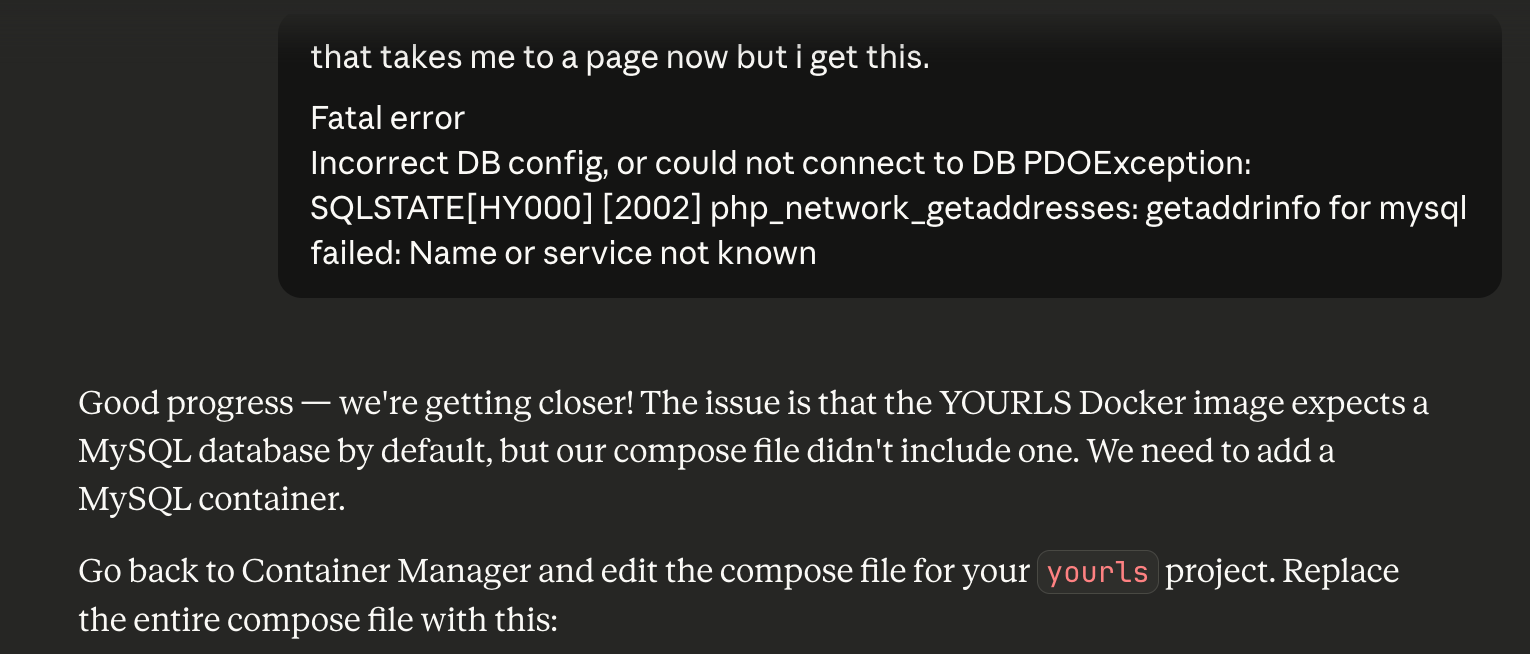
Once the port issue was fixed, hitting the install page threw a database connection error. Turns out the YOURLS Docker image doesn't bundle a database — you have to bring your own MySQL container. The initial compose file had no MySQL service at all. We updated the compose file to add a MySQL 8.0 container, linked it with depends_on, and mounted a persistent volume for the data. The install page worked on the next attempt.
Problem 3: The Login That Refused to Work
This one was the most interesting. Installation completed successfully, but every login attempt returned "Invalid username or password" — even though I could see the correct credentials sitting right there in the config file. We tried several things: checking file permissions, attempting to inject a pre-hashed password, inspecting the database directly.
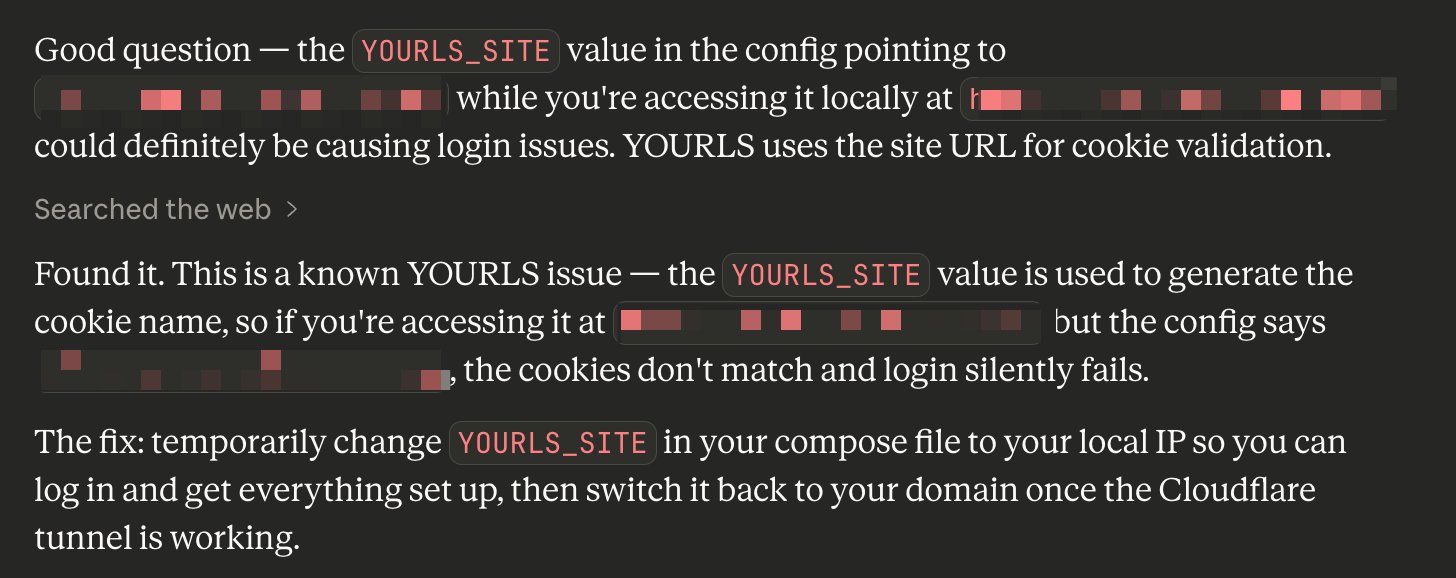
Eventually Claude asked the right question: does the URL I'm using to access the admin panel match the YOURLS_SITE setting in the config? It didn't. YOURLS uses the site URL to generate the cookie name. I was accessing the service via my local IP address while the config was pointing to my public domain — so every login was generating a cookie that the server immediately didn't recognize.
The fix was to temporarily change YOURLS_SITE to the local IP, log in, complete the setup, then switch it back to the real domain once the Cloudflare Tunnel was live. A completely non-obvious issue that would have taken me a long time to find on my own.
Problem 4: DNS Conflict in Cloudflare
When adding my domain as a public hostname in the Cloudflare Zero Trust dashboard, I got an error about an existing DNS record conflict. The fix was simple once you know it — delete the old A record in the DNS settings first, then re-add the hostname through the tunnel config. Cloudflare handles the CNAME creation automatically. But if you don't know that's the flow, the error message doesn't really tell you what to do.
What the Final Setup Looks Like
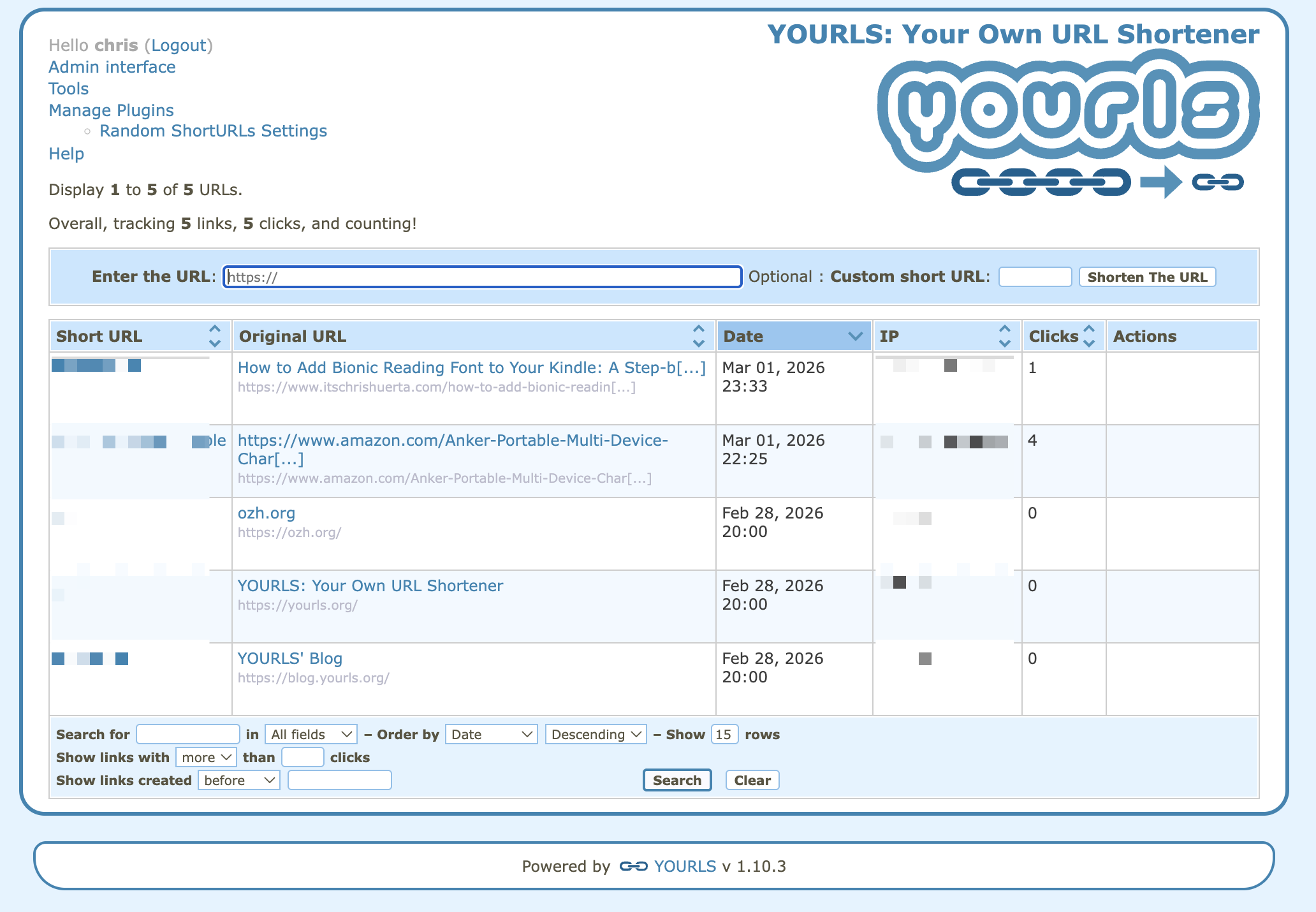
After a few hours of troubleshooting, everything clicked into place. The stack is:
- YOURLS running in Docker, exposed on a local port
- MySQL 8.0 as the database backend, also in Docker
- Cloudflare Tunnel routing public traffic to the local service — no open ports on the router, no static IP required
- Amazon Affiliate plugin that automatically appends my affiliate tag to any Amazon URL that goes through the shortener
- YOURLS MCP server running on my local machine, connected to Claude Desktop
That last piece is where it gets genuinely fun. More on that in Part 2.
What AI-Assisted Building Actually Feels Like
I want to push back a little on the narrative that AI "does the work for you." That's not what this felt like. I still had to make decisions, understand the systems, run the commands, read the logs. What changed was the texture of the experience.
Normally when I hit a wall, the flow is: get stuck → Google → find a Stack Overflow post from 2019 that's sort of related → try something → it doesn't work → Google again. It's fragmented and slow, and the mental context you've built up starts to decay between each search.
With Claude in the loop, the context stays intact. Claude remembered what we'd already tried, knew which container we were talking about, understood the architecture we'd set up. When I shared an error message, I didn't have to re-explain the whole setup. The debugging stayed coherent.
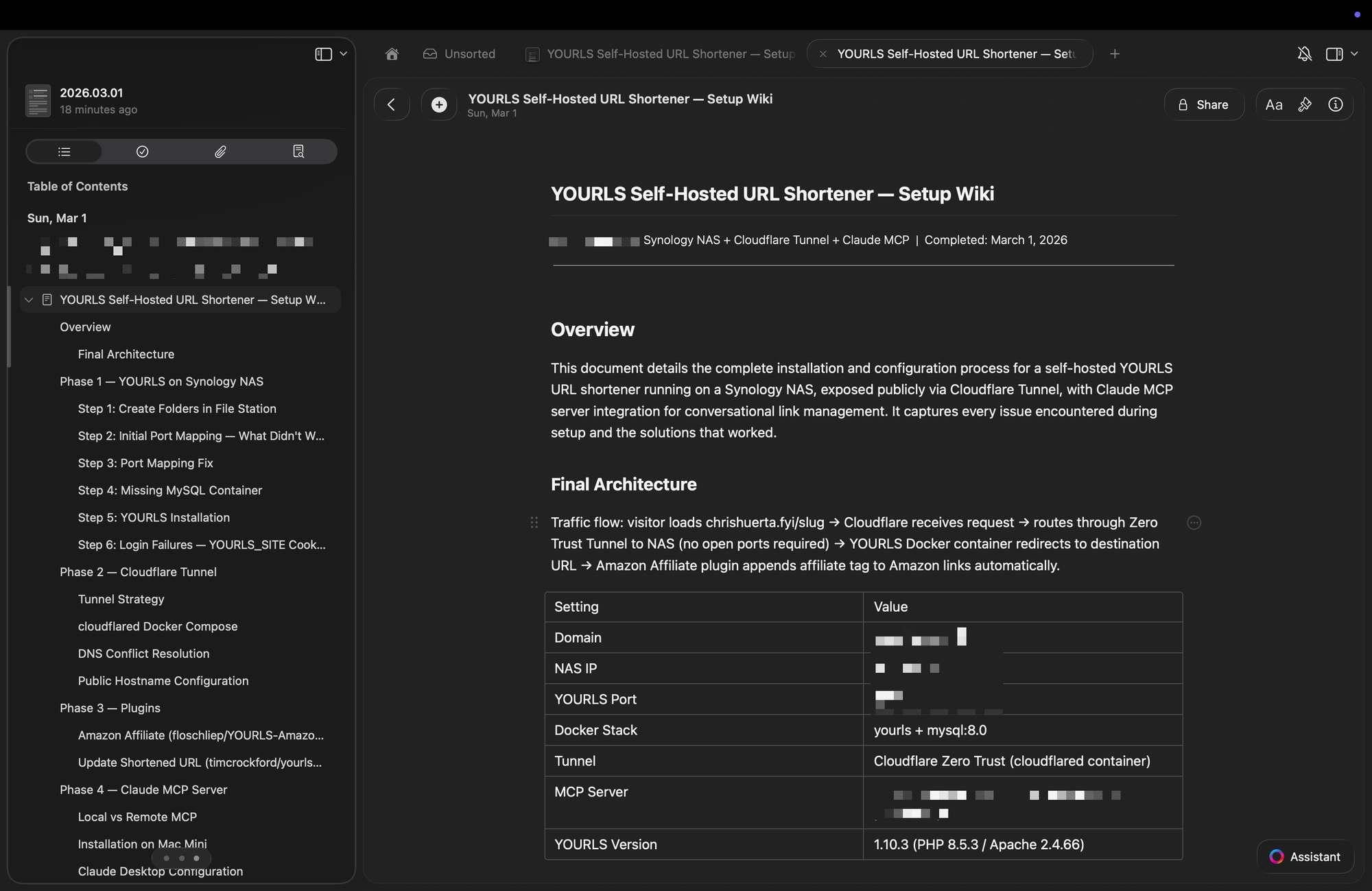
It also changed how I thought about documentation. Normally I'd get something working and move on, and six months later have no idea how I set it up. This time, at the end of the session, I asked Claude to turn our entire conversation into a structured wiki document — every problem we hit, every fix, the final compose files, a troubleshooting reference. It took about thirty seconds. That document now lives in my notes, ready for the next time I need to touch this setup.
The Bigger Picture
There's a category of project that's always existed in the gap between "I could figure this out if I really committed to it" and "I have time for this right now." Self-hosted infrastructure projects live in that gap for a lot of people. The knowledge required isn't exotic — Docker, DNS, Linux basics — but assembling it all coherently for a specific goal has enough friction to keep a lot of good ideas from ever shipping.
AI as a copilot compresses that gap significantly. Not by removing the need to understand what you're building — you still need that — but by making the path from idea to working system much less lonely and much less fragmented.
I have a list of projects that have been sitting in that gap. It's getting shorter.
In Part 2, I'll explain what an MCP server actually is, why it matters, and how connecting YOURLS to Claude turned a URL shortener into something you can talk to.